

Cloud rendering is an option to boost your animation projects!
Fox Rendefarm, the high-performance cloud rendering service, can be the solution for processing your next vfx project, 3D short film, video game cinematics or digital art.
In operation since 2011, Fox Renderfarm has worked hard to have a global presence and build a great reputation in the industry. This has been achieved through demonstrations and initiatives at the most relevant CGI and animation exhibitions in the world, such as SIGGRAPH Conferences and Annecy Festival.
It was on our last business trip and coverage, at MIFA, the international animation market in Annecy, that we had the opportunity to connect with their team.

Beyond exhibiting at key events, Fox Renderfarm has built its place in the industry on word of mouth recommendation. Their clients reiterate their performance and quality, their flexible pricing scheme and above all, their excellent customer service.
COST EFFECTIVE, RELIABLE AND EASY TO USE
Incorporating a new step into your workflow can be tedious. To be honest, we had never tried a cloud rendering solution due to trust issues. We always had doubts regarding technical support and confidentiality. Our main concers were especially in relation to price-benefit, ease of use and guarantees. That’s why Garfield Huang and Evan Zhang from Fox Renderfarm spoke with Dessignare Media to answer some of the most common questions when considering using this solution.
How are your frames processed in the cloud?
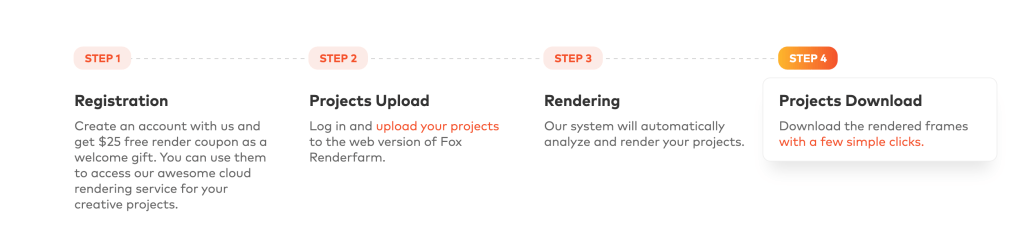
Below we share our considerations for incorporating cloud rendering into your next project. It’s like magic! After creating your account, only 4 easy steps are required.
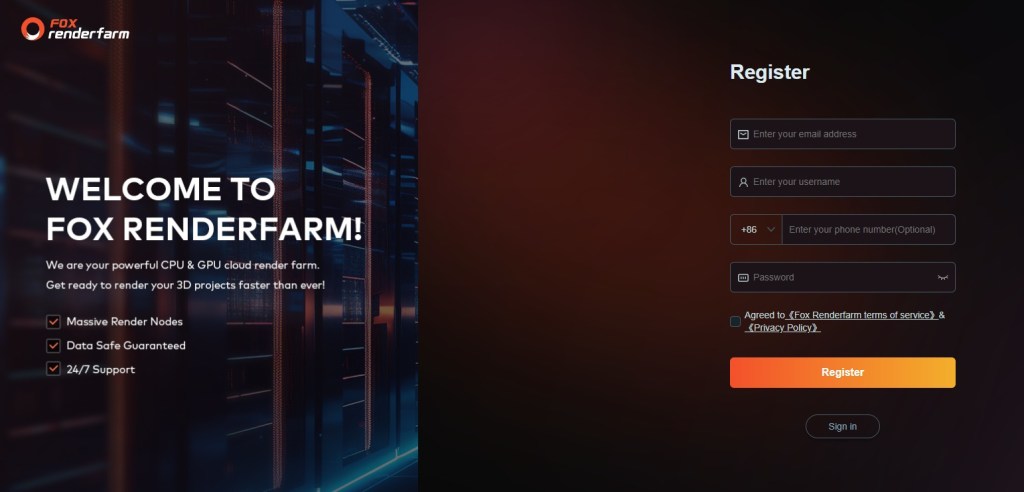
CREATE AN ACCOUNT
Starting to process your render in the cloud will take just a matter of minutes. The first barrier that usually stops producers is the issue of costs. This is not a problem as you can try the service with the discount coupons offered by the Fox Renderfarm team when creating your account. During summer 2024, new users can earn a bonus worth $25 in starting credits.
Tip: Do you have friends who are dedicated to digital art production? If so, you can take advantage of the referral scheme that rewards you with credits and promotions when you invite your colleagues.
Here we share our referral link: JOIN FOX RENDERFARM!
SPECIAL BENEFIT: By joining our link you will get a 50 USD coupon!

STEP 1 – UPLOAD YOUR ASSETS
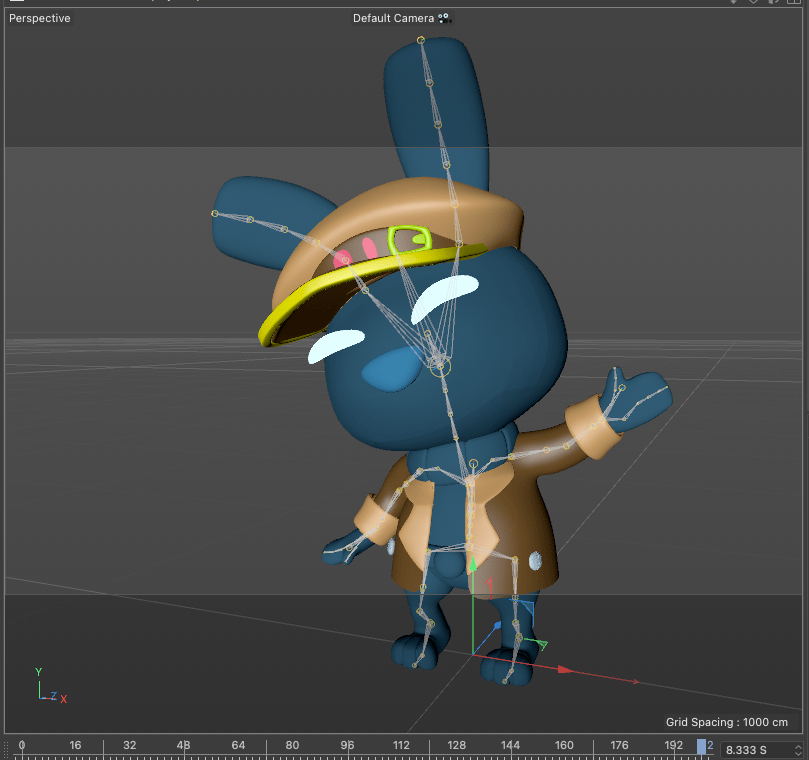
The first step is as simple as loading your scene. In our case we rendered frames of a turn-table of the character “Bani” from Time to fly, the new episode of our animated series Cosmonaute 360 for fulldome. For this sequence we have applied materials and lighting in Cinema 4D.
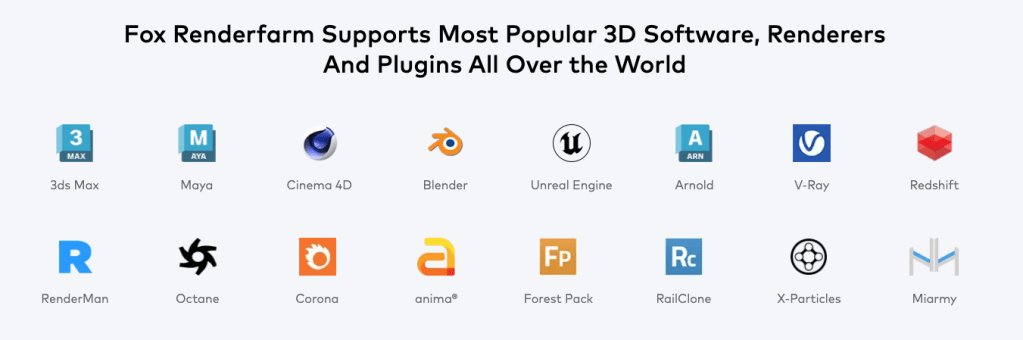
Fox Renderfarm supports the most popular software and plugins in the industry, so you don’t have to worry about compatibility.
Even if your project requires very specific plugins, you can contact their staff 24 hours a day to receive advice or request special requirements for your 3D animation project. This was one of our main concerns, since our films require very specific plugins.
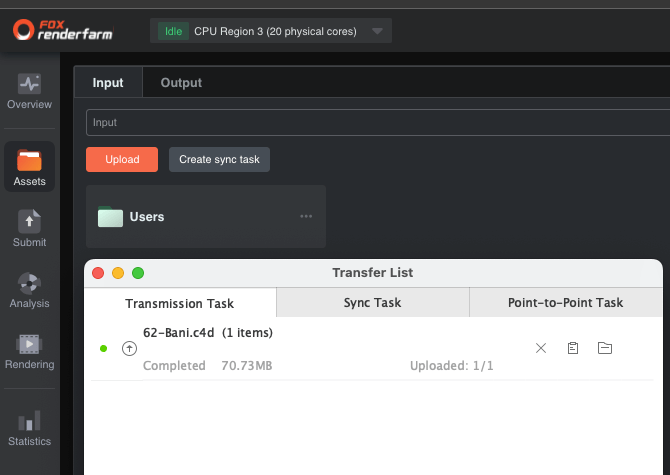
After creating your account you will be able to access the administration panel. You can manage everything directly from your web browser. On our Mac computer we had to install the Raysync transmission tool. It was a very simple and smooth step that allows for file management. Something great is that the platform carries out an automated process to synchronize and structure the files.
STEP 2 – SET UP YOUR RENDER
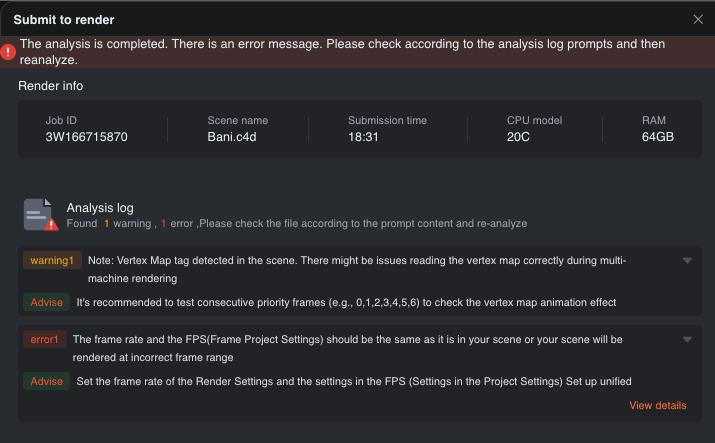
After loading the directories you will be able to select your scene. Automatically a configuration is suggested, but you can manually select software, plugins and hardware parameters. To complete this step, an analysis of the scene is performed in search of possible errors in the assets.
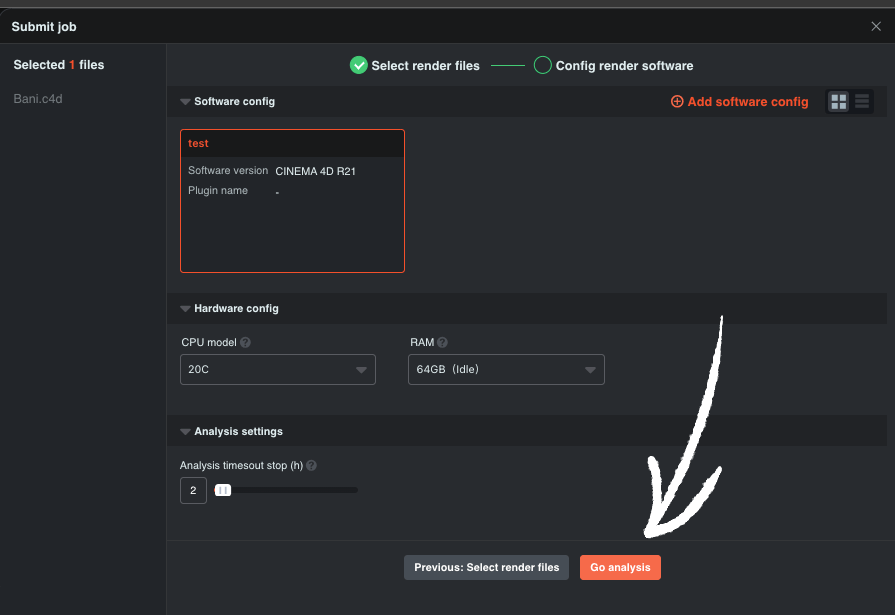
Something that we definitely applaud and appreciate is the analysis system. It is very functional because it warns of possible problems in your scene. Aspects that even in our main software do not warn so explicitly when rendering and that could be common errors in the day-to-day life of an animation production.
The Fox Renderfarm analysis system is very effective. In our first attempt, the warning of a texture error saved us from processing a scene with image errors that we had not detected and on a second occasion the platform warned us of the frame rate that did not match the sequence configuration, thus avoiding an animation and audio error. In our daily lives we are working on animated sequences in Blender and exported to Cinema 4D, so it is common to face this type of situation.
STEP 3 – CLOUD RENDERING
Once your sequences are configured you can begin processing. This step is always accompanied by nerves. Am I rendering the last version of the files? Did I loaded the correct textures? Our recommendation is to be as meticulous or even more than when you work locally.
Fortunately, Fox Renderman incorporates a analysis system in which it will first render the first frame, an intermediate frame or one of your choice, and the last frame of your sequence. This to fulfill two purposes. First, the review of the quality of your image, and second, the calculation of time and average cost of the frame.
Once you have verified that everything is correct, it is time to render in the cloud!

STEP 4 – DOWNLOAD YOUR SEQUENCE
The platform has a notification system so you can keep track of the progress of your project. Once the tasks are completed, you can use the Raysync transmission tool to manage the local download of the batch of images to your computer.
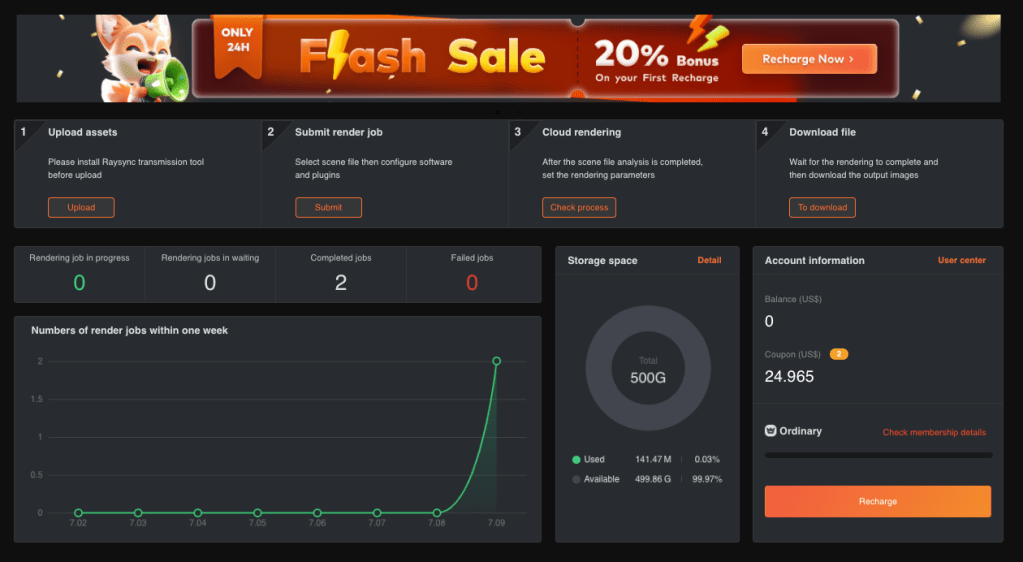
In addition, Fox Renderman has a statistics system with which you can see how many renders you have released, key dates, your balance and storage space. You will have 500 GB of cloud space and access to direct support with the technical team. Allowing artists and producers to advance their projects in an easy and affordable way.
OUR CONCLUSIONS
Fox Renderfarm offers access to a powerful rendering infrastructure so you can handle more complex projects that require a large amount of rendering resources.
Some of the benefits we highlight when using Fox Renderfarm:
Unleash the potential of your projects with high speed
Using cloud processing can speed up the production time of your projects. This can allow you to create more complex sequences or complete rendering projects more quickly. Thus expanding your range of services and ability to grow your client portfolio in the short term.
Human Support, Flexibility and Scalability
You can easily scale the amount of rendering resources you need based on your requirements. As you add experience you will allow yourself to handle larger projects. If you have questions that are holding you back, you can always go to the support team at any time of the day and their staff will be attentive to support you and decipher the best path for your project.
Cost savings
By using a cloud rendering service from Fox Renderfarm, users can avoid the need to invest in expensive hardware to render their projects, which can result in significant savings and the ability to acquire clients demanding cost-intensive turnaround times or image quality. very sophisticated.
Trust in the process, professionalism and environmental responsibility
The Fox Renderfarm team has more than 20 years of experience collaborating on high-end projects. Your projects will be protected by NDA contract. In addition, all the electricity in Fox Renderfarm’s green data center is generated by wind and hydropower, which is natural and clean and does not harm the environment.
| Fox Renderfarm is a convenient and efficient solution for those looking to render 3D animation projects, visual effects and other digital art work quickly and with professional quality. |

 Cosmonaute 360 - Fulldome Shows